
How to Choose an OCR Inspection System in 2026?

Choosing an OCR inspection system in 2026 is not simply a matter of comparing camera specifications. The right choice depends on what the line must read, how quickly products move, and how much print variation occurs in daily production. A code that looks clear on a sample may blur on a curved bottle or shift beneath glare from overhead lighting. Small details matter.

Ocr Inspection systems can verify characters, flag unreadable marks, and help reduce manual checks. Yet performance depends on more than the recognition model. Review image resolution, lens and lighting options, trigger timing, line-speed limits, and integration with existing equipment. Ask suppliers to test real samples, including faint ink, skewed labels, reflective packaging, and expected production defects. Measure both missed errors and false rejects; each can disrupt quality and output. Request clear reporting and a defined process for saving inspection results. These checks make supplier claims easier to assess.

There is no perfect scorecard. A fast system may need careful setup, while a flexible platform can require more operator training. That trade-off deserves attention. Confirm who will tune recipes, maintain lighting, and investigate failed reads after installation. Check how the system behaves when a product changes or print quality declines. A credible evaluation should include documented tests, measurable acceptance criteria, and support expectations—not just a successful demonstration. This guide outlines the questions that help teams compare options with practical evidence and choose a system suited to their actual production conditions.
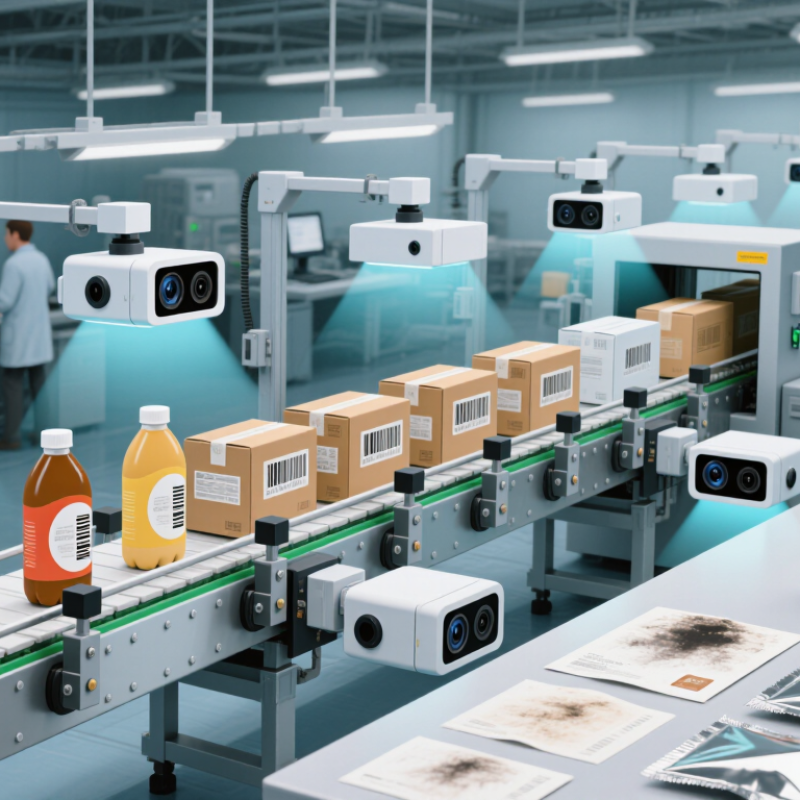
How to Choose an OCR Inspection System in 2026?

What an OCR Inspection System Does in 2026

How to Choose an OCR Inspection System in 2026?

What an OCR Inspection System Does in 2026

An OCR inspection system captures printed or marked characters and checks them against defined requirements. A camera may read a lot code on a carton, a date on a label, or a serial number etched onto a metal part. Software locates the text, reduces image noise, recognizes characters, then compares the result with a format or reference value. Some systems also check whether text is missing, misplaced, or difficult to read. The goal is not merely to produce a string of characters. It is to identify print defects before faulty items move further down the line.

On a fast production line, the system must work with motion, changing light, and small shifts in label position. A practical setup pairs suitable cameras and lighting with clear pass, fail, and review rules. For example, a smudged digit on a moving package might trigger a rejection, while a low-confidence reading goes to manual review. That matters. Recognition is not certainty: glare, curved surfaces, and worn print can confuse even capable software. A confident-looking result can still be wrong. Teams should test with real samples, including awkward ones, and track recurring misreads. The useful question is not whether OCR works in a demonstration, but whether it reads the required text reliably in the actual inspection environment.

Which Inspection Requirements Should You Define First?

Before comparing OCR inspection systems, define what a failure looks like on your production line. List the exact fields to read, such as a lot code, date, or serial number, and mark acceptable variations. Decide how the system should handle blurred, skewed, faint, or partly obscured characters. Be specific. A 2024 International Federation of Robotics report counted 4.28 million industrial robots operating worldwide in 2023, reflecting how widely automated equipment now runs across factories. That scale makes integration practical, but it does not define your inspection needs.

Set measurable acceptance criteria next: read accuracy by field, maximum reject rate, line speed, and response when confidence falls below threshold. Record real samples from different shifts, lighting conditions, print heads, and packaging materials. The MVTec AD benchmark contains 5,354 images across 15 object and texture categories; its range is a useful reminder that defect coverage needs deliberate testing. It is not an OCR performance guarantee. Test your own difficult samples. Tiny text matters.

Finally, define what happens after a failed read. Should the line stop, trigger a reject, or request operator review? Specify image retention, event logs, and links to the production record before installation. Check camera position, available space, and network limits on the actual line. A clean laboratory trial can mislead. I have seen requirements focus on character accuracy while overlooking changeovers; that gap deserves a second look. Keep the first specification short, but make every threshold verifiable.

How to Assess OCR Accuracy, Speed, and Reliability

An OCR inspection system should be judged on the marks it must read, not only on a vendor’s best-case score. Start with samples from real production, including curved labels, low-contrast ink, and slight print shifts. Include clean examples, too. Measure character accuracy and full-code pass rate, since one wrong character can invalidate an otherwise readable code. A 99.8% character score may sound strong, yet still hide frequent failures on critical fields. Test the hard cases.

Speed is more than a headline rate. Run the system at the actual conveyor speed, with normal spacing and product variation. Track reading latency and the percentage of items inspected without slowing the line. Then repeat the test across several shifts. Fast once is not enough.

Reliability shows up in ordinary disruptions: a dusty lens, a brief lighting change, or a restart after a jam. Check how quickly readings recover and whether uncertain results are clearly flagged for review. Log false rejects alongside missed reads; both affect output and operator workload. One caveat: a controlled test cannot fully reproduce months of wear. The cleanest lab result may not reflect a busy line, and that gap deserves attention.

How to Compare Cameras, Software, and Integration Options

Choosing an OCR inspection system means comparing the whole inspection chain, not just camera resolution. Check whether the camera captures the smallest printed character clearly at the line’s real speed. Test under glare, vibration, and changing package positions. A crisp image in a quiet demo is not enough. Confirm lens, lighting, exposure, and trigger timing together.

Software should handle expected print variation without hiding unreadable codes. Ask for confidence scores, image storage, and review tools. Test with your own difficult samples, including faint ink and curved labels. Integration deserves equal attention: verify PLC signals, reject timing, and links to production records before purchase. The International Federation of Robotics’ World Robotics 2024 report counted 4.28 million industrial robots operating worldwide in 2023, highlighting how closely inspection increasingly sits alongside automated equipment. Deloitte’s 2024 Smart Manufacturing Survey found 92% of respondents expected smart manufacturing to drive competitiveness within three years. Those figures are not OCR performance guarantees. They do underline why interfaces and support matter. One awkward truth: even a strong system may need frequent tuning when packaging changes. Ask who owns that work, and test the answer on your actual line.

How to Choose an OCR Inspection System in 2026? - How to Compare Cameras, Software, and Integration Options

Decision area Option Typical strengths Trade-offs and constraints Good fit when What to verify
Camera Area-scan camera Captures a two-dimensional image in one exposure; straightforward to set up for stationary or indexed products. Motion during exposure can cause blur. Field of view, resolution, and working distance must suit the code or text size. Products stop briefly at an inspection point, or move slowly enough for a suitable exposure. Smallest character size in pixels, exposure time, lens coverage, focus stability, and trigger timing.
Camera Line-scan camera Builds an image line by line and can inspect continuous material or long surfaces as they move past the camera. Requires consistent motion and synchronization with the line encoder or transport speed; setup is typically more involved. Webs, rolls, or continuously moving products need inspection across a long field of view. Encoder integration, line rate, motion stability, lighting uniformity, and achievable image resolution.
Image capture Monochrome imaging Often provides strong contrast for printed characters when color is not needed; can simplify image processing. Does not preserve color information that may distinguish print from background or identify a specific label variant. Inspection depends primarily on shape, contrast, and character pattern rather than color. Contrast under production lighting and whether color carries inspection-critical information.
Image capture Color imaging Retains color cues that can help separate print, packaging, or label variants when those cues are consistent. Color and exposure can vary with illumination and material; color alone does not guarantee more reliable OCR. Color is part of the inspection specification or helps distinguish similar packaging layouts. Color consistency, illumination, exposure control, and performance on actual production samples.
Lighting Diffuse or angled illumination Can improve character contrast and reduce unwanted reflections, depending on the surface and print process. There is no single lighting geometry that works for every surface; glossy, curved, or reflective packaging may need trials. Text is difficult to read because of glare, uneven brightness, low contrast, or surface curvature. Test the actual substrate, ink, viewing angle, ambient light, and product-position variation.
OCR software Rule-based or template-focused OCR Can be effective for stable layouts, known character sets, fixed reading zones, and predictable print conditions. May need retuning when fonts, layouts, or print quality change; unsuitable rules can reject valid variation or accept errors. Product formats and text positions are controlled, and inspection rules are clearly defined. Supported fonts and character sets, allowed text variation, confidence thresholds, and recipe-change workflow.
OCR software Machine-learning-based OCR May handle greater variation in fonts, print quality, or text appearance when trained and validated with representative samples. Requires representative data and careful validation; performance can change with products or conditions not covered in testing. Print or packaging variation is substantial and a fixed template is not robust enough. Training-data coverage, confidence handling, version control, validation procedure, and behavior on unfamiliar samples.
Processing platform Smart camera or vision sensor Combines image capture and processing in a compact device, which can reduce separate hardware and simplify installation. Processing capacity, storage, user interface, and expansion options may be more limited than a PC-based system. The inspection is localized, the camera count is modest, and the required logic fits the device capabilities. Processing time at line speed, recipe management, image storage, communications, and maintenance access.
Processing platform Industrial PC-based vision system Offers flexibility for multiple cameras, more complex processing, data storage, and customized interfaces. Requires more attention to hardware, software deployment, operating-system maintenance, and recovery planning. Several inspection stations, detailed image logging, or custom processing and reporting are needed. Worst-case processing time, supported interfaces, spare strategy, software updates, backups, and restart behavior.
Integration Discrete I/O and PLC signaling Provides direct inspection triggers and pass/fail or reject signals for a production line. Limited data compared with a network interface; signal timing and reject coordination must be engineered carefully. The line needs straightforward machine control and a defined reject or stop response. Trigger, result, fault, and ready signals; response time; reject timing; and fail-safe behavior.
Integration Industrial network or data interface Can exchange inspection results, product identifiers, recipes, and diagnostic data with other systems. Requires agreed data formats, network configuration, access controls, and clear ownership of system responsibilities. Inspection data must be shared with production, quality, or traceability systems. Supported protocols, data fields, network policy, time synchronization, and behavior during communication loss.
Deployment Local, on-device or on-premises processing Keeps inspection processing near the production line and can continue without a cloud connection. Local hardware, backups, software updates, and data retention need ongoing management. Fast production decisions, predictable operation, or limited external connectivity are priorities. Recovery after power loss, local storage capacity, backup process, and access permissions.
Validation Production-sample acceptance test Measures system behavior on real products, including good prints, known defects, normal variation, and line conditions. Results are only representative if test samples and operating conditions reflect actual production. Before equipment selection, commissioning, or a significant recipe or process change. Read accuracy, false rejects, missed defects, throughput, changeover time, and performance across shifts and lots.

Selection note: Treat performance figures as application-specific. Confirm acceptance criteria using representative production samples, actual line speed, expected print variation, and the complete reject and data-handling workflow.

How to Validate a System Before Purchase and Deployment

An OCR inspection system should be tested on your actual line, not just clean sample images. A 2025 smart-manufacturing survey of 600 executives found that 92% expect smart manufacturing to drive competitiveness within three years. That expectation makes careful validation more important, not less. Request a trial using your own labels, codes, product surfaces, and camera positions.

Build a test set that reflects a full shift: sharp and faded prints, glare, skew, condensation, motion blur, and normal product variation. Include difficult examples, not only hand-picked successes. Test at target line speed and record character accuracy, read rate, false accepts, and no-reads separately. A high average can hide costly failures on one character or package type. Test the ugly cases.

Set pass limits before the trial. For example, define the minimum acceptable read rate and the maximum false-accept rate, then verify them across repeated runs. Keep a separate sample for final validation; tuning and testing on the same images can inflate results. Check how operators review exceptions and whether records can be retrieved by time, product, and image. One caveat: a short trial may miss seasonal changes in packaging or lighting. That uncertainty should be documented, not waved away.

CONTACT US